

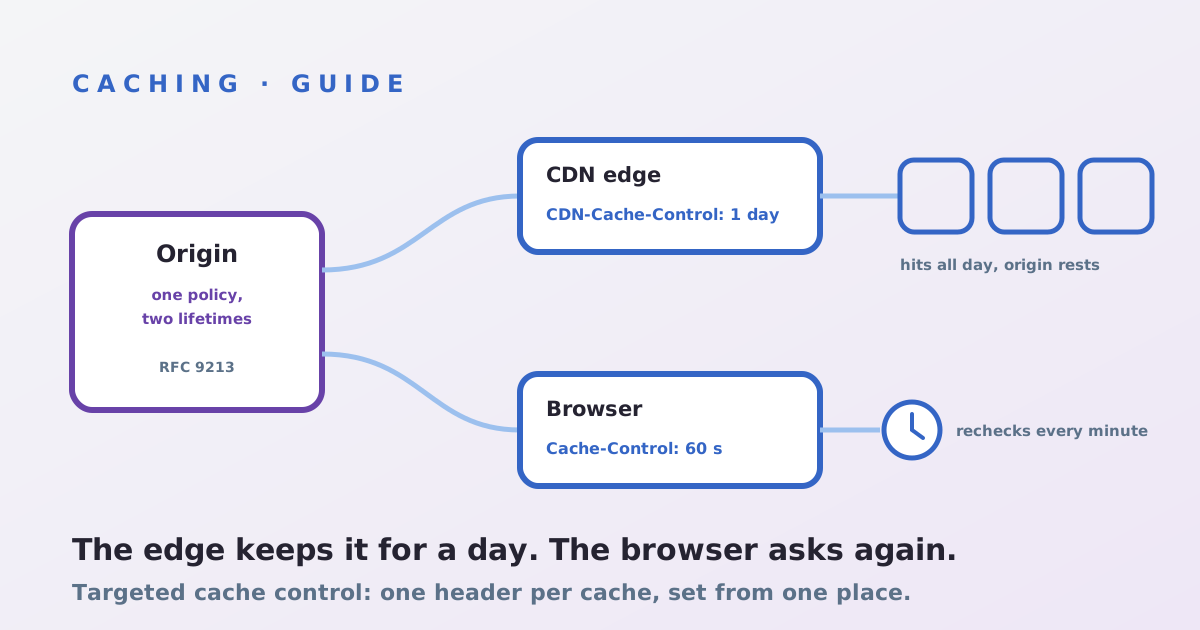
CDN-Cache-Control is a response header, defined in RFC 9213, that carries caching rules meant only for CDNs. Send Cache-Control: max-age=60 for browsers and CDN-Cache-Control: max-age=86400 beside it, and a CDN that reads the header keeps the page for a day while browsers recheck every minute. The catch is that not every CDN reads it, so the rollout starts with knowing which header your edge obeys.
What the header changes
Before RFC 9213, the only shared-cache lever inside standard Cache-Control was s-maxage, which every proxy, corporate cache and CDN on the path would apply. The RFC, written in 2022 by engineers from Akamai, Fastly and Cloudflare, adds targeted fields: a cache that recognises CDN-Cache-Control uses it and ignores Cache-Control and Expires for its own decision, while browsers ignore it entirely. A vendor may also define its own field, such as Cloudflare-CDN-Cache-Control, which beats the generic one at that vendor only. The syntax is the directives you already know: max-age, no-store, stale-while-revalidate and the rest. If Cache-Control itself is still unclear, start with our Cache-Control guide.
Step 1: find out which header your CDN obeys
- Cloudflare: reads
CDN-Cache-Controland passes it downstream for any CDN behind it; also readsCloudflare-CDN-Cache-Control, which it strips. Its documentation notes that a Cache Response Rule setting cache directives overrides both. - Vercel: reads
CDN-Cache-Control, andVercel-CDN-Cache-Controlahead of it. Without either, it stripss-maxagefrom what it passes to the browser. - Fastly: its documented order is
Surrogate-Control, thens-maxage, thenmax-age, thenExpires, with any TTL set in VCL above all. SendSurrogate-Controlfor the edge copy. - Akamai and CloudFront: we found no vendor documentation confirming the generic header. Both honour
s-maxage(Akamai behind its enhanced RFC support option), and CloudFront clamps it to the cache policy's minimum and maximum TTL.
Step 2: write one policy, emit every dialect
Decide the two lifetimes per content class, then send all the headers your path needs from a single place in the origin or the build:
Cache-Control: public, max-age=60, s-maxage=86400CDN-Cache-Control: max-age=86400, stale-while-revalidate=300Surrogate-Control: max-age=86400
The s-maxage copy covers edges that read nothing newer. Keep values identical across the three, or each CDN in a multi-CDN set-up serves a different freshness, and a long edge TTL only works if purging does, which our purge guide covers.
Step 3: mind what reaches the browser
The generic field is forwarded, so a second CDN or a corporate proxy that understands it will also keep the page for a day. Where only one edge should hold it, use that vendor's own field, which is stripped before delivery. Never put private content behind a long targeted TTL: the browser header cannot rescue a page the edge has already shared.
Step 4: verify the edge obeyed
Request the URL twice with curl -sI and read the age and cache-status headers: Age should climb past the browser's 60 seconds while the edge still reports a hit. Run it at every CDN in the path, and repeat after the next deploy, since a framework upgrade can quietly rewrite headers.
Not sure which TTL your edge is actually applying? The assessment reads your headers at every CDN in the path.